 ab79dac4b3
Phase 1: Data model - groups.rs (Rust structs + load/save groups.json), groups.ts (TypeScript interfaces), groups-bridge.ts (IPC adapter), workspace.svelte.ts (replaces layout store), SQLite migrations (agent_messages, project_agent_state tables, project_id column), --group CLI argument. Phase 2: Project shell layout - GlobalTabBar, ProjectGrid, ProjectBox, ProjectHeader, CommandPalette, DocsTab, ContextTab, SettingsTab, App.svelte full rewrite (no sidebar/TilingGrid). Phase 3: ClaudeSession.svelte wrapping AgentPane per-project. Phase 4: TerminalTabs.svelte with shell/SSH/agent tab types. Phase 5: TeamAgentsPanel + AgentCard for compact subagent view. Also fixes AgentPane Svelte 5 event modifier (on:click -> onclick). |
||
|---|---|---|
| .claude | ||
| .github/workflows | ||
| .vscode | ||
| docs | ||
| v2 | ||
| .gitignore | ||
| bterminal.py | ||
| bterminal.svg | ||
| CHANGELOG.md | ||
| CLAUDE.md | ||
| ctx | ||
| install-v2.sh | ||
| install.sh | ||
| README.md | ||
| screenshot.png | ||
| TODO.md | ||


BTerminal
Terminal with session panel (MobaXterm-style), built with GTK 3 + VTE. Catppuccin Mocha theme.
v2 complete, v3 planning started. v2: Multi-session Claude agent dashboard using Tauri 2.x + Svelte 5. v3: Multi-project mission control redesign (project groups, per-project Claude sessions, workspace tabs) — planning phase, no code yet. Features: multi-pane terminal with PTY backend and copy/paste, agent panes with structured output, tree visualization with subtree cost and session resume, subagent/agent-teams support (auto-spawns child panes for subagents with parent/child navigation and recursive cost aggregation), multi-machine support (bterminal-relay WebSocket server + RemoteManager for managing agents/terminals on remote machines), Claude profile/account switching (switcher-claude integration with per-session account selection), skill discovery and autocomplete (type
/in agent prompt for skill menu), session groups/folders with collapsible sidebar headers, SSH session management, ctx context database viewer, SQLite session persistence with layout restore, live markdown file viewer with Shiki syntax highlighting, global status bar with cost tracking, toast notifications, settings dialog with theme flavors (Catppuccin Latte/Frappe/Macchiato/Mocha) and live hot-swap, detached pane mode (pop-out windows), pane drag-resize handles, auto-updater plugin with signing key configured, @anthropic-ai/claude-agent-sdk integration, unified sidecar bundle (Deno-first, Node.js fallback), CSS Grid tiling, .deb + AppImage packaging, GitHub Actions CI, 114 vitest + 29 cargo tests. Branchv2-mission-control. See docs/task_plan.md for architecture and docs/phases.md for implementation plan.
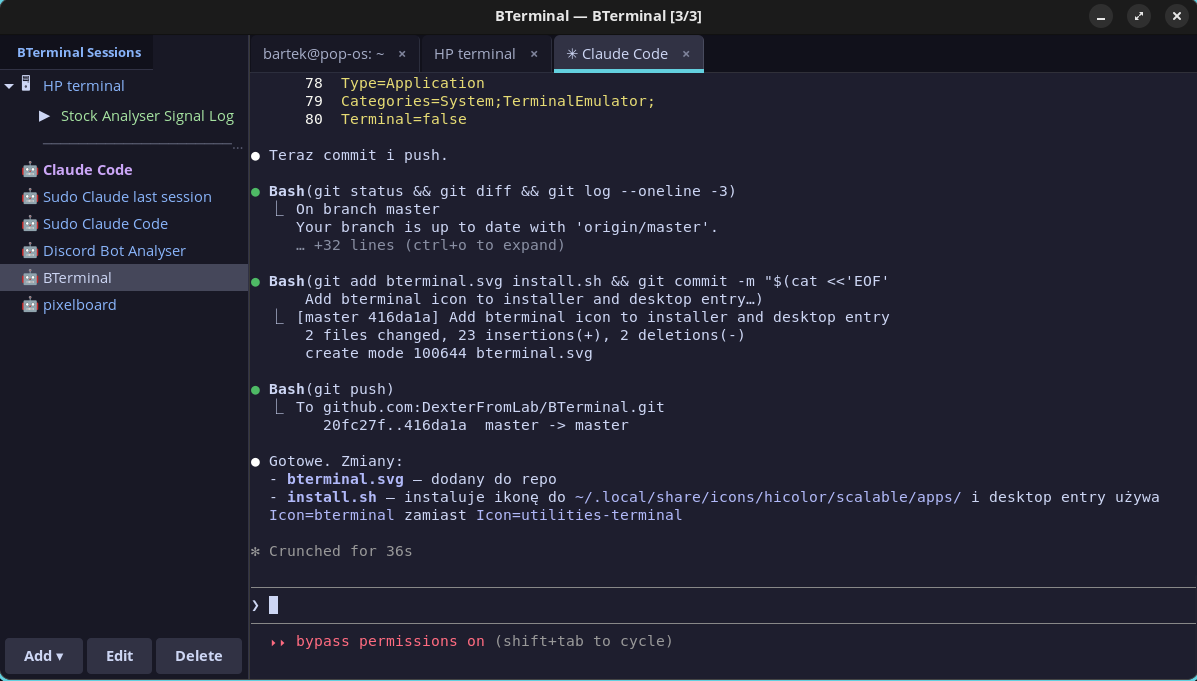
Features
- SSH sessions — saved configs (host, port, user, key, folder, color), CRUD with side panel
- Claude Code sessions — saved Claude Code configs with sudo, resume, skip-permissions and initial prompt
- SSH macros — multi-step macros (text, key, delay) assigned to sessions, run from sidebar
- Tabs — multiple terminals in tabs, Ctrl+T new, Ctrl+Shift+W close, Ctrl+PageUp/Down switch
- Sudo askpass — Claude Code with sudo: password entered once, temporary askpass helper, auto-cleanup
- Folder grouping — SSH and Claude Code sessions can be grouped in folders on the sidebar
- ctx — Context manager — SQLite-based cross-session context database for Claude Code projects
- Catppuccin Mocha — full theme: terminal, sidebar, tabs, session colors
Installation
git clone https://github.com/DexterFromLab/BTerminal.git
cd BTerminal
./install.sh
The installer will:
- Install system dependencies (python3-gi, GTK3, VTE)
- Copy files to
~/.local/share/bterminal/ - Create symlinks:
bterminalandctxin~/.local/bin/ - Initialize context database at
~/.claude-context/context.db - Add desktop entry to application menu
v2 Installation (Tauri — build from source)
Requires Node.js 20+, Rust 1.77+, and system libraries (WebKit2GTK 4.1, GTK3, etc.).
git clone https://github.com/DexterFromLab/BTerminal.git
cd BTerminal
./install-v2.sh
The installer checks all dependencies, offers to install missing system packages via apt, builds the Tauri app, and installs the binary as bterminal-v2 in ~/.local/bin/.
Pre-built .deb and AppImage packages are available from GitHub Releases (built via CI on version tags).
v1 Manual dependency install (Debian/Ubuntu/Pop!_OS)
sudo apt install python3-gi gir1.2-gtk-3.0 gir1.2-vte-2.91
Usage
bterminal
Context Manager (ctx)
ctx is a SQLite-based tool for managing persistent context across Claude Code sessions.
ctx init myproject "Project description" /path/to/project
ctx get myproject                    # Load full context (shared + project)
ctx set myproject key "value"        # Save a context entry
ctx shared set preferences "value"   # Save shared context (available in all projects)
ctx summary myproject "What was done" # Save session summary
ctx search "query"                   # Full-text search across everything
ctx list                             # List all projects
ctx history myproject                # Show session history
ctx --help                           # All commands
Integration with Claude Code
Add a CLAUDE.md to your project root:
On session start, load context:
  ctx get myproject

Save important discoveries: ctx set myproject <key> <value>
Before ending session: ctx summary myproject "<what was done>"
Claude Code reads CLAUDE.md automatically and will maintain the context database.
Configuration
Config files in ~/.config/bterminal/:
| File | Description |
|---|---|
sessions.json |
Saved SSH sessions + macros |
claude_sessions.json |
Saved Claude Code configs |
Context database: ~/.claude-context/context.db
Keyboard Shortcuts
| Shortcut | Action |
|---|---|
Ctrl+T |
New tab (local shell) |
Ctrl+Shift+W |
Close tab |
Ctrl+Shift+C |
Copy |
Ctrl+Shift+V |
Paste |
Ctrl+PageUp/Down |
Previous/next tab |
Multi-Machine Support (v2)
BTerminal v2 can manage agents and terminals running on remote machines via the bterminal-relay binary.
Architecture
BTerminal (Controller) --WebSocket--> bterminal-relay (Remote Machine)
                                      ├── PtyManager (remote terminals)
                                      └── SidecarManager (remote agents)
Running the Relay
On each remote machine:
# Build the relay binary
cd v2 && cargo build --release -p bterminal-relay

# Start with token auth
./target/release/bterminal-relay --port 9750 --token <secret>

# Dev mode (allow unencrypted ws://)
./target/release/bterminal-relay --port 9750 --token <secret> --insecure
Add remote machines in BTerminal Settings > Remote Machines (label, URL, token). Remote panes auto-group by machine label in the sidebar. Connections automatically reconnect with exponential backoff (1s-30s cap) on disconnect.
See docs/multi-machine.md for full architecture details.
Documentation
| Document | Description |
|---|---|
| docs/task_plan.md | v2 architecture decisions, error handling, testing strategy |
| docs/phases.md | v2 implementation phases (1-7 + multi-machine A-D) with checklists |
| docs/findings.md | Research findings (Agent SDK, Tauri, xterm.js, performance) |
| docs/progress.md | Session-by-session progress log (recent) |
| docs/progress-archive.md | Archived progress log (2026-03-05 to 2026-03-06 early) |
| docs/multi-machine.md | Multi-machine architecture (implemented, WebSocket relay, reconnection) |
| docs/v3-task_plan.md | v3 Mission Control redesign: architecture decisions and strategies |
| docs/v3-findings.md | v3 research findings and codebase reuse analysis |
| docs/v3-progress.md | v3 session progress log |
License
MIT